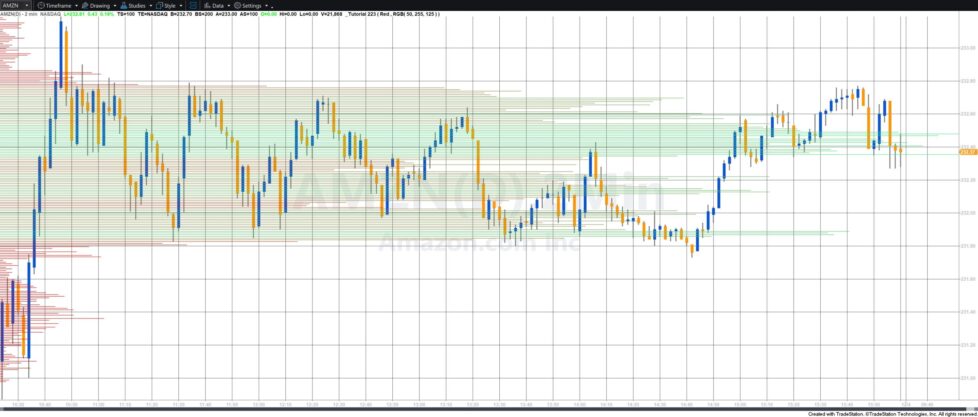
Price Level Time Histogram
Tutorial 223 demonstrates how to use a Price Series Provider (PSP) to analyze 1-second interval data and estimate how much time price spends at each level within the chart’s visible window.
A dictionary is used to track this:
-
Key: the price level (converted to a string)
-
Value: cumulative time spent at that price
If a price already exists in the dictionary, the new time is added to the existing total.
After processing all PSP data, the dictionary is sorted by value (time spent) by transferring the keys and values into separate vectors. A more detailed explanation of how this sort works can be seen below.
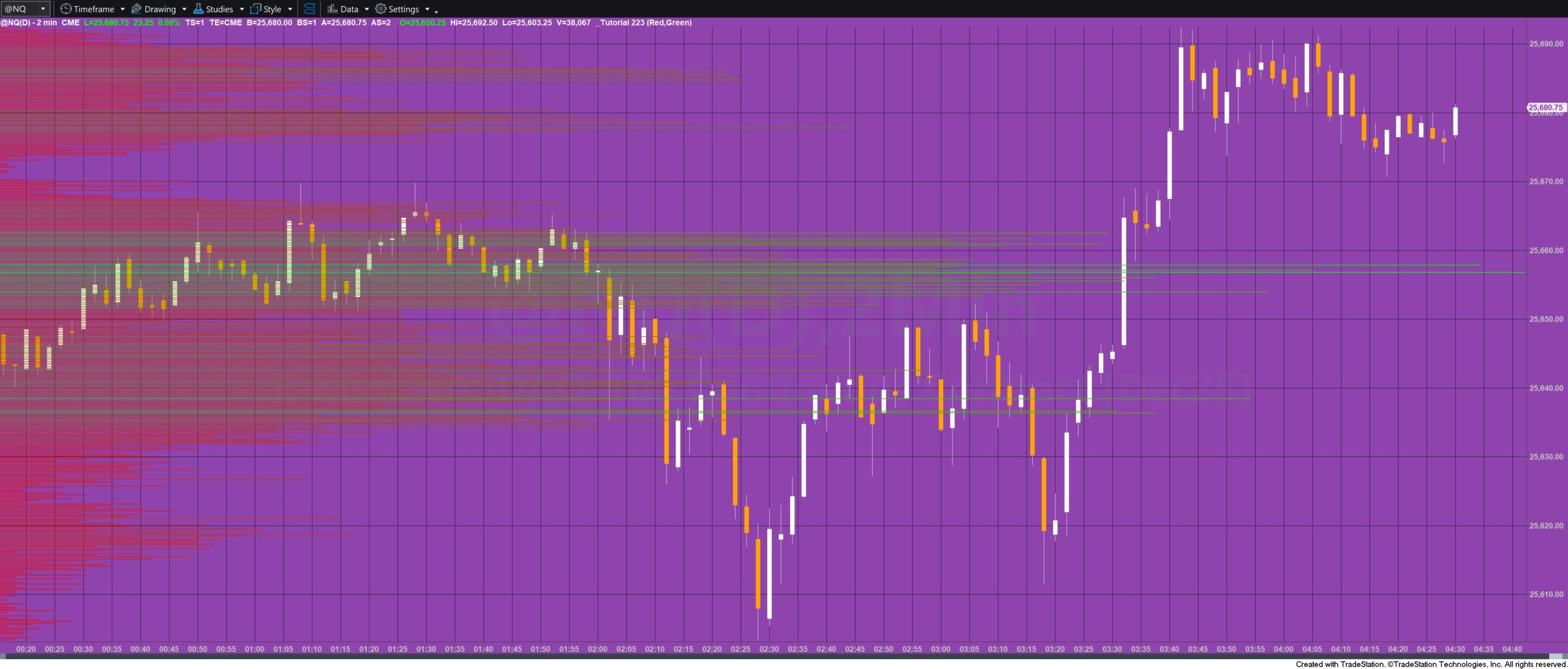
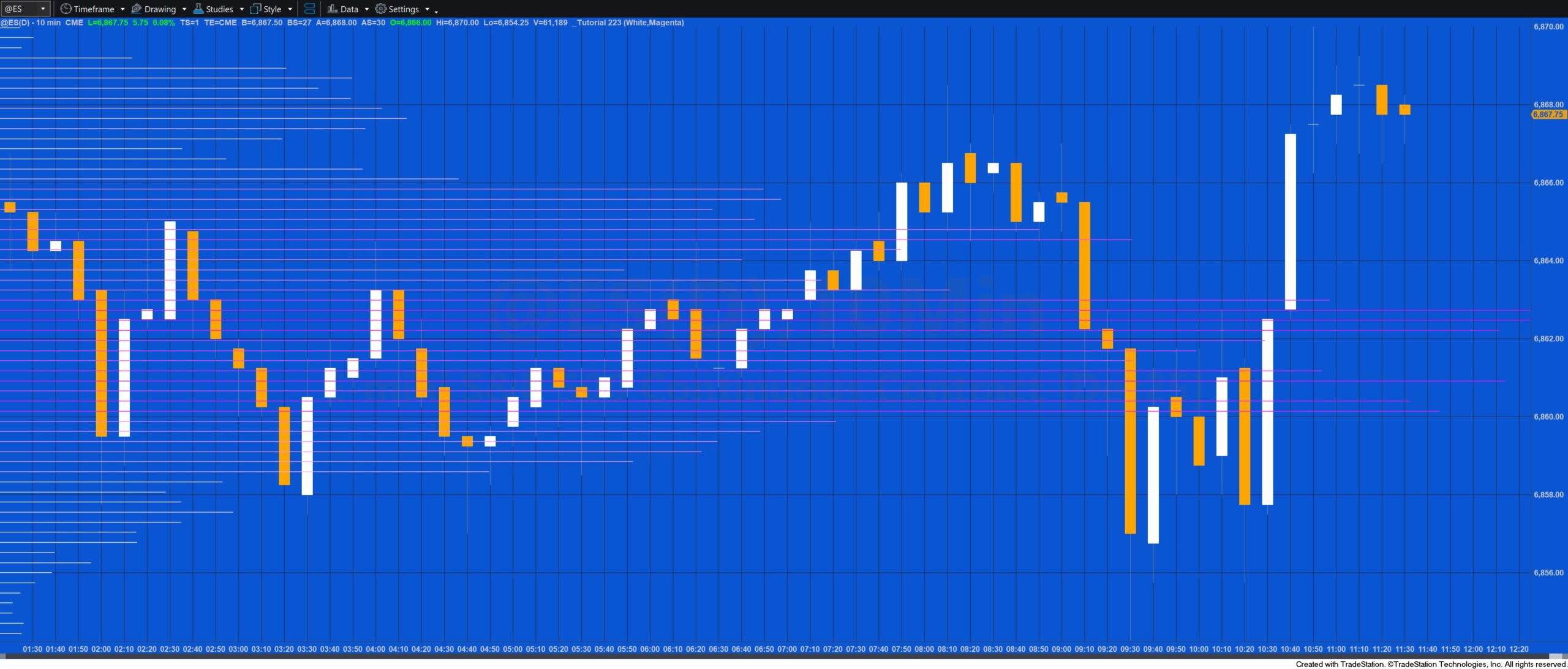
A histogram is then drawn on the chart using XY plotting, where:
-
Longer horizontal lines indicate more time spent at that price level.
-
Line colors shift gradually between two user-defined colors (HistColor1 and HistColor2), based on relative tick count or time at each level.
Because the script performs heavy processing, it is not real-time—it calculates once when applied to the chart and does not update afterward.
Explanation of how TckVectorSort functions
The method performs a manual sort on two parallel vectors:
Keys[] – strings
and Vals[] – doubles
These vectors represent the keys and values of a Dictionary, but once extracted into arrays they must be
sorted manually. The method sorts them in descending order by value while keeping keys and values aligned.
Step-by-Step Description
1. Two nested loops
For Ctr1 = 0 to Keys.Count – 1
For Ctr2 = Ctr1 + 1 to Keys.Count – 1
Ctr1 marks the current position we want to fill with the next largest value.
Ctr2 scans through the remaining elements to find any value larger than the one at Ctr1.
This is essentially a selection sort structure.
2. Compare values
If Vals[Ctr1] < Vals[Ctr2] then
If a later element (Ctr2) has a larger value than the current element (Ctr1), you need to swap them.
This ensures the largest values “bubble” toward the front, creating descending order.
3. Swap both vectors in sync
Because each key corresponds to its value, both arrays must be swapped together:
TmpKey = Keys[Ctr1];
TmpVal = Vals[Ctr1];
Keys[Ctr1] = Keys[Ctr2];
Vals[Ctr1] = Vals[Ctr2];
Keys[Ctr2] = TmpKey;
Vals[Ctr2] = TmpVal;
This keeps the key-value association intact after sorting.
Why it Works
============
The double loop checks every possible pair where the second index is ahead of the first.
Whenever a larger value is found, the pair is swapped to move the larger value forward.
Because every element is compared with all elements after it, the final result is fully sorted.
This is functionally a descending selection sort applied to two synchronized vectors.
Explanation of tutorial 223
Download the tutorial 223 tutorial
If you wish to save yourself some typing, the tutorial programs are available for immediate download by clicking the ‘add to cart’ button below. You may pay using PayPal or a credit card. The price is $44.95
Free download for Gold Pass members
Download the tutorial 223 TradeStation EasyLanguage example show me study free for Gold Pass members. If you are a Gold Pass member you can download the tutorial code below, please make sure that you are logged in with your Gold Pass user name and password.  This content is for members only.
TO THE BEST OF MARKPLEX CORPORATION’S KNOWLEDGE, ALL OF THE INFORMATION ON THIS PAGE IS CORRECT, AND IT IS PROVIDED IN THE HOPE THAT IT WILL BE USEFUL. HOWEVER, MARKPLEX CORPORATION ASSUMES NO LIABILITY FOR ANY DAMAGES, DIRECT OR OTHERWISE, RESULTING FROM THE USE OF THIS INFORMATION AND/OR PROGRAM(S) DESCRIBED, AND NO WARRANTY IS MADE REGARDING ITS ACCURACY OR COMPLETENESS. USE OF THIS INFORMATION AND/OR PROGRAMS DESCRIBED IS AT YOUR OWN RISK.
ANY EASYLANGUAGE OR POWERLANGUAGE TRADING STRATEGIES, SIGNALS, STUDIES, INDICATORS, SHOWME STUDIES, PAINTBAR STUDIES, PROBABILITYMAP STUDIES, ACTIVITYBAR STUDIES, FUNCTIONS (AND PARTS THEREOF) AND ASSOCIATED TECHNIQUES REFERRED TO, INCLUDED IN OR ATTACHED TO THIS TUTORIAL OR PROGRAM DESCRIPTION ARE EXAMPLES ONLY, AND HAVE BEEN INCLUDED SOLELY FOR EDUCATIONAL PURPOSES. MARKPLEX CORPORATION. DOES NOT RECOMMEND THAT YOU USE ANY SUCH TRADING STRATEGIES, SIGNALS, STUDIES, INDICATORS, SHOWME STUDIES, PAINTBAR STUDIES, PROBABILITYMAP STUDIES, ACTIVITYBAR STUDIES, FUNCTIONS (OR ANY PARTS THEREOF) OR TECHNIQUES. THE USE OF ANY SUCH TRADING STRATEGIES, SIGNALS, STUDIES, INDICATORS, SHOWME STUDIES, PAINTBAR STUDIES, PROBABILITYMAP STUDIES, ACTIVITYBAR STUDIES, FUNCTIONS AND TECHNIQUES DOES NOT GUARANTEE THAT YOU WILL MAKE PROFITS, INCREASE PROFITS, OR MINIMIZE LOSSES.